Sublimind · iOS & Android
Make a subliminal for your goal.
Describe what you want to work on, Sublimind then drafts the affirmations, you edit them, and the app turns them into powerful subliminal audio.
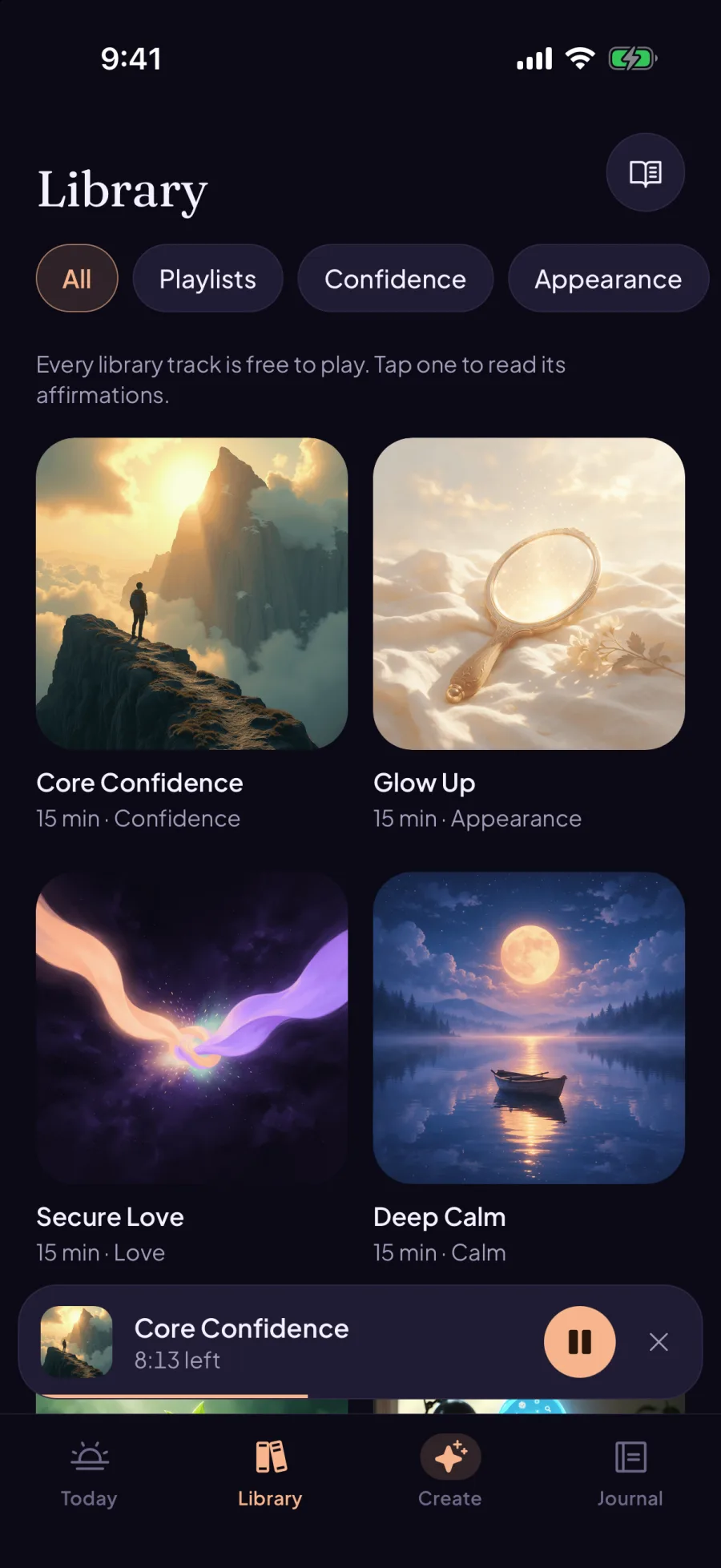
Try the free library. No account needed.
Custom tracks
Your goal is the starting point.
- 01
Describe your goal
Tell the app what you want to work on, or write your own affirmations.
- 02
Make the words yours
Read the draft. Edit, add or remove lines until the script says what you want.
- 03
Turn it into audio
Choose a track length. Sublimind mixes the voices beneath masking background sounds.
The player
Listen on your terms.
Put a track on while you study, take a walk or wind down.
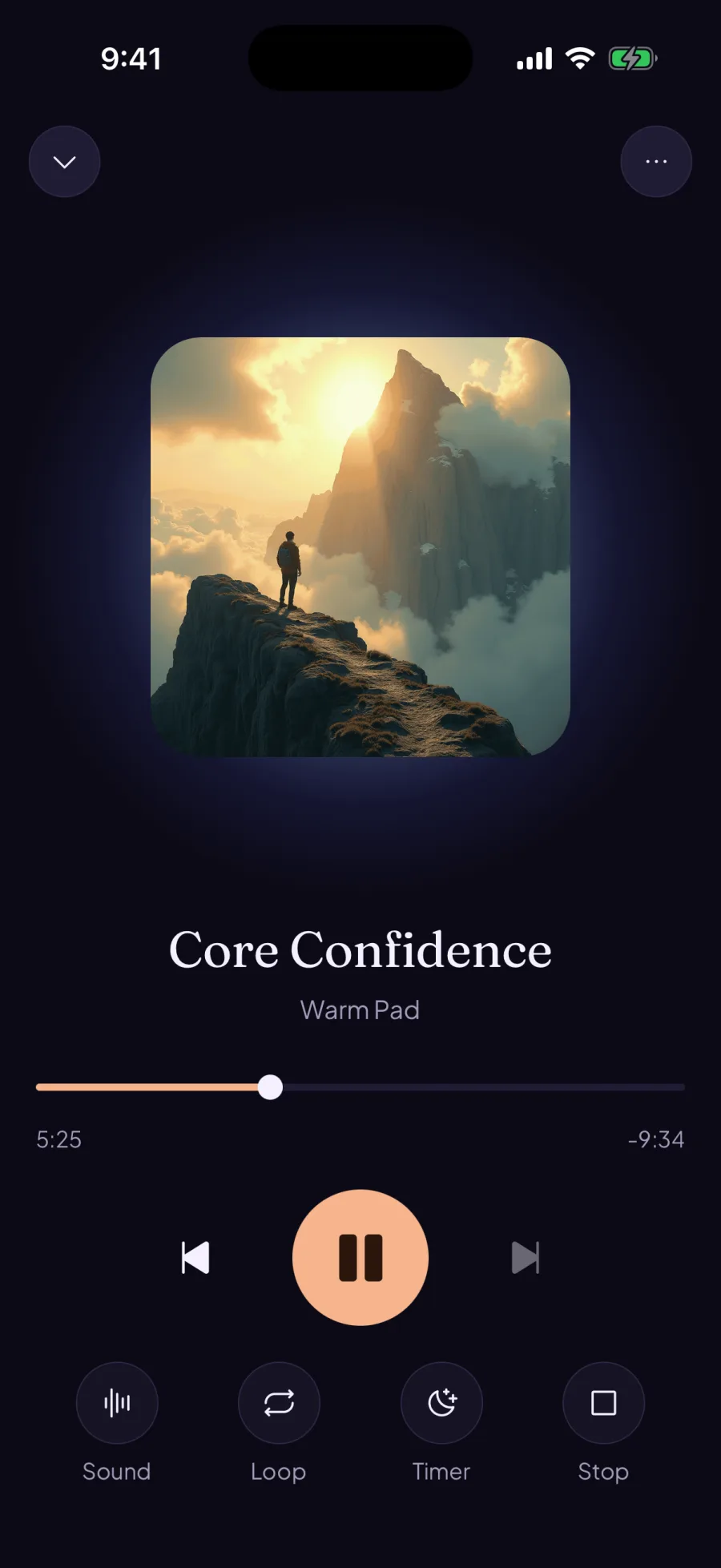
Choose your sound
Switch between different masking background sounds from the player.
Listen offline
Download tracks and play them without a connection.
Set a sleep timer
Let the audio fade out when you're ready to stop.
Save a playlist
Keep the tracks you listen to together in one place.
Free & paid
Listen free.
Create your own.
Every library track is free. To build a custom track, choose a subscription or pay with a credit. Credit-built tracks stay playable without a subscription.
See what's included →Questions
Before you start.
What is a subliminal?
An audio track with spoken affirmations mixed quietly beneath music or other background sound. In Sublimind, you can read the affirmations in each track.
What's free?
The library and drafting your core affirmations are free. A subscription or credit is needed to build custom audio and access the full expanded scripts for Strong and Max tracks.
Do I need an account?
You can listen to the library without signing up. Sign in when you want to build a custom track, make a purchase or use your tracks on another device.
Can I use my own affirmations?
Yes. Write your own script, or edit the one Sublimind drafts from your goal. You can also use your name in the affirmations.
Find your first track.
Download Sublimind and try the free library. Available on iOS and Android.